Using Rondo
Rondo is built around the wheel and five buttons. The same few moves work everywhere, and a few screens give them an extra meaning.
The basics
| Control | What it does |
|---|---|
| Wheel | Moves through lists. On Now Playing, a video or the radio, it changes the volume. |
| Center | Opens or selects. |
| Hold center | Options for the highlighted item or the current screen. |
| Menu (top) | Back. |
| Play/Pause (bottom) | Plays and pauses, from any screen. |
| Next / Previous | Next or previous song, from any screen. |
| Hold Next / Previous | Fast-forward or rewind. |
| Power | Switches the screen off and on. Hold it to shut down or restart. |
When the screen is off, the first press only wakes it. Play/Pause and Next/Previous still work without looking, like an iPod.
Main menu
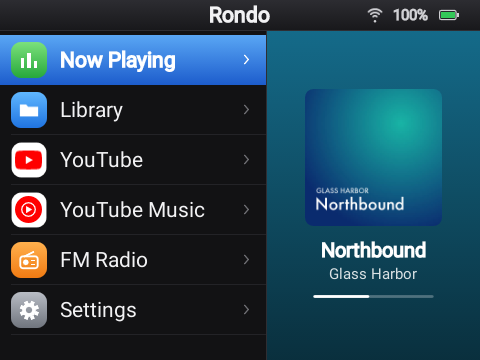
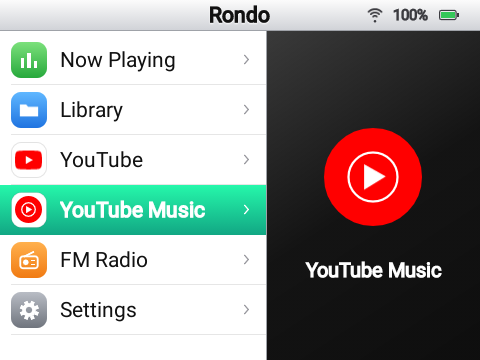
Now Playing, Library, YouTube, YouTube Music, FM Radio and Settings. The right side shows what's highlighted, or what's playing. Settings › Theme › Main menu changes the order and which entries show up.
Library: music and videos on the card
Rondo looks through the whole microSD card (and the Y1's internal storage) for music and videos. You don't need a special folder layout. Songs are listed by title, artist and album, using the files' tags. Without tags, a file named Artist - Title.flac is read the obvious way.
- Search finds songs, artists, albums, videos and playlists as you type, on the wheel
keyboard. Songs, Artists, Albums, Videos and Playlists each start with a Search of their own.
- Recently added lists the newest songs first.
- Playlists: New playlist, then Add songs (or hold center on any song and choose
Add to playlist). Hold center on a song in a playlist to move it or take it out, and on a playlist to rename or delete it. Playlists are
.m3u8files in the card'sPlaylistsfolder, so music players on a computer open them too. - Hold center on a song to play it now, play it next, add it to the queue or a playlist, or
delete it from the card.
- Rescan the card after copying files to it another way than the USB drive.
- Formats: FLAC, MP3, M4A, AAC, OGG, Opus and WAV for music; MP4 (H.264) and similar for
video. Covers come from the file's embedded artwork. Lyrics come from the file's tags or from an
.lrcfile with the same name next to it, and timed lyrics scroll along. Songs on the card never fetch anything from the internet.
Adding music
Plug the Y1 into a computer and choose Use as USB drive: the microSD card shows up on the computer like a memory stick. Copy files onto it, eject it on the computer, then choose **Turn off USB drive** on the Y1. While the card is on the computer, music from it is paused. Unplugging the cable gives the card back to the Y1 as well. The dashboard can also upload music over Wi-Fi.
YouTube Music and YouTube
Both need a server. They open on a home page, with tabs across the top: turn the wheel on the tab row and press center to switch. Search uses an on-screen keyboard you type on with the wheel.
- With a YouTube account connected to the server, you also get Library (your playlists and
liked songs) in YouTube Music, and Subscriptions and History in YouTube.
- Hold center on a song for the same options as on the card, including Start radio.
- Videos play at the quality set in Settings › Video quality (Auto picks 360p, the screen's
size; up to 720p works).
Shorts
YouTube's home page starts with Shorts: one short at a time, looping, picked from your account's shorts when the server has one. Next / Previous move to the next or previous short, the wheel is the volume and center pauses. The next few shorts load while you watch, so moving on takes about a second.
Now Playing
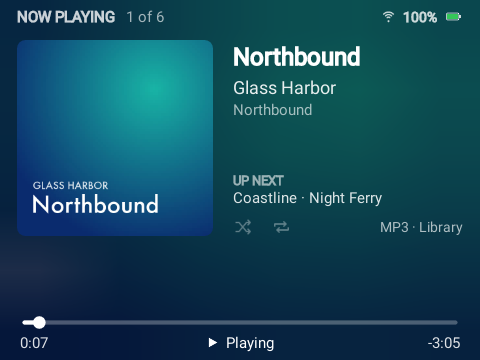
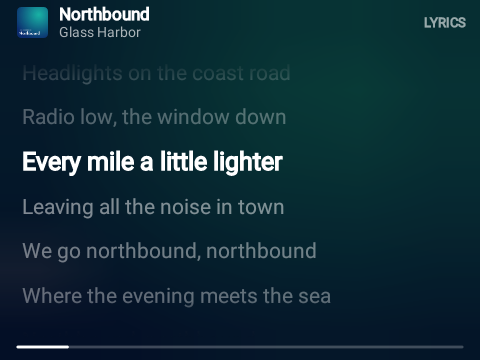
- Wheel: volume. Center: switch between the cover and the lyrics.
- Hold center for options: scrub through the song, see what's up next, and repeat.
- Hold Next / Previous to scrub: the wheel then moves the position, and center jumps there.
Menu cancels.
Watching a video
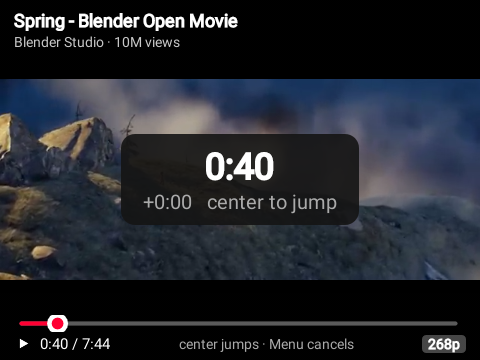
- Wheel: volume. Center: scrub. Next / Previous: 10 seconds forward or back.
- Hold center on a YouTube video to change its quality.
FM radio
Plug in wired headphones first: their cable is the antenna.
- Wheel: volume. Center: switch the wheel to tuning, in 0.1 MHz steps, and back.
- Next / Previous: find the next station up or down.
- Play/Pause: mute.
- Hold center for options: your saved stations, Scan (finds every station, about 20
seconds), save or remove this one, play through the speaker, and the region. "Most of the world" is 87.5–108 MHz; Japan is 76–95 MHz. In the stations list, hold center on a saved station to rename, move or remove it, or on a found one to save it.
Station names come from RDS where the station sends it. Starting YouTube or a song from the card turns the radio off.
Settings
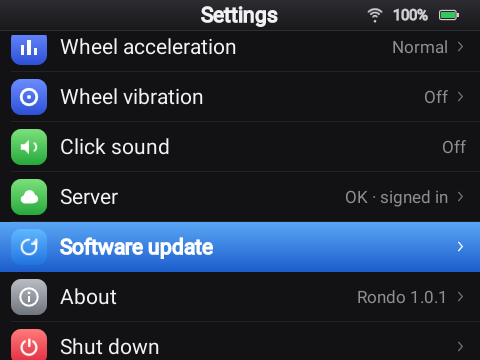
| Setting | |
|---|---|
| Dashboard | Starts the dashboard; see below. |
| Wi-Fi | Join networks. Hold center on a saved network to forget it. |
| Bluetooth | Pair and connect headphones or speakers. |
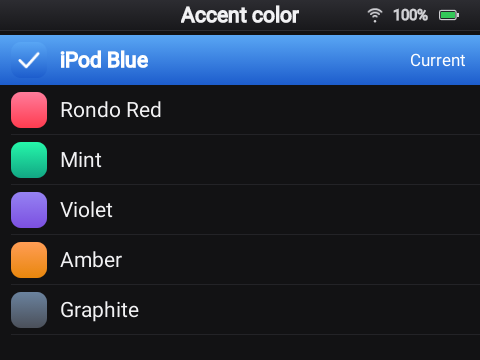
| Theme | The accent color, light or dark, the text size, and the main menu's entries and order. |
| Video quality | Auto, or a fixed height. |
| Brightness, Screen off after | |
| Open lyrics automatically | Shows lyrics instead of the cover when a song has them. |
| Wheel acceleration | Long, fast spins move further. |
| Wheel vibration | A small buzz on every wheel step: off, light, normal or strong. |
| Click sound | A tick on every wheel step. |
| Server | Whether the server answers, a connection test, and connecting to a server with its address and code. |
| Software update | Installs a newer Rondo over Wi-Fi, keeping everything, or says when a release needs Innioasis Updater CE (more). |
| About | Rondo's version, the battery, free space, Wi-Fi and the server. |
| Shut down | Shut down or restart. Holding the Power button opens the same choices. |
The dashboard
Settings › Dashboard turns the Y1 into a small web server for as long as that screen is open. It shows an address and a 6-digit code. Open the address in a browser on the same Wi-Fi and type the code. From there you can:
- see what's playing and control it, and shut down, restart or update Rondo,
- browse, search, upload and delete music and videos on the card, and make playlists,
- change the theme, the menu and every setting above,
- manage Wi-Fi, Bluetooth and the FM radio, and connect the server.
Leaving the Dashboard screen on the Y1 (Menu) stops it. See The dashboard for each page.