Koensayr · Innioasis Y1
Install Koensayr on a Y1.
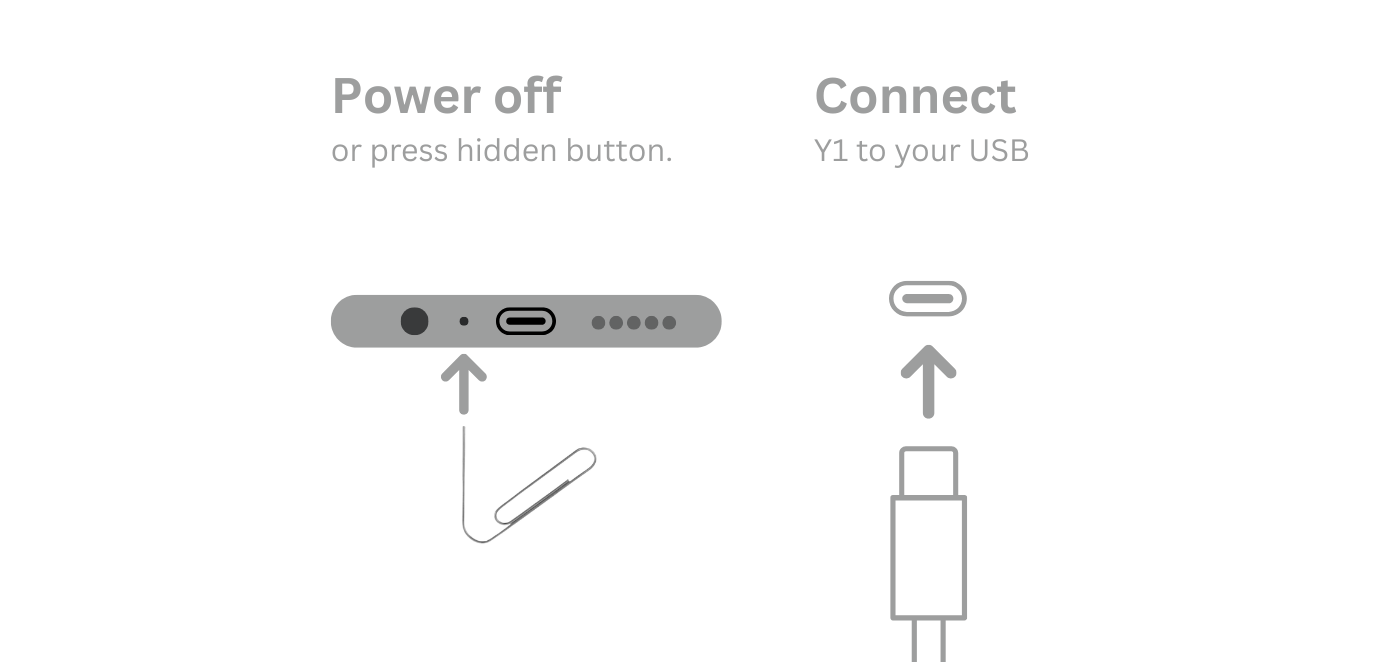
Koensayr is listed as a Y1 project. Let Updater manage the package, then follow the same careful power-off and USB timing as the other full installs.
Install steps
- Set Device Model to Y1.
- Choose Koensayr in Software.
- Select the listed release and click Install / Restore.
- Power off and connect the Y1 only when the app asks.
- Use Y1 Original Software to restore the stock path.
When something fails
Check the model and Type selection first. Then check the cable and whether the player was connected before the prompt. If the app stopped before it waited for USB, open troubleshooting.